Free Tool

Companion App
ᛋᛘᛁᚦᛁᛅ · ᚦᛁᚾᚾ · ᛏᚢᛘᚱ

Build. Play. Track.
No Account Needed.

9-Step Character Creation WizardWalks you through every decision in order — race, class, attribute rolling, talents, bonus points, and starting gear. Roll your attributes or enter them manually. A new character in under ten minutes.
Live Character SheetsTrack HP, spell slots, equipment, talents, and class abilities in real time. Adjust HP with one tap. All data saves to your browser automatically.
Spell CompendiumFull spell lists for Wizards and Clerics across all three tiers — Minor, Major, and Legendary. Mark spells as known or forgotten directly from the compendium.
Dice RollerRoll 2d10, 1d4, 1d6, 1d8, 1d10, and 1d20. Critical successes and fumbles on 2d10 are flagged automatically. Roll history kept for the session.
Rest SystemShort rest recovers 1d4 HP. Long rest restores full HP and all spell slots. One button, correct resources, no maths.
NotesPer-character notes for debts, secrets, and mid-session tracking. A separate campaign notes tab for quest hooks, NPC names, and session reminders. Both save automatically.
Multi-Character RosterManage an entire party from one device. Switch between characters instantly.
Export & ImportBack up any character as a Base64 string. Paste it on another device to restore — no account or cloud sync required.
Open the App
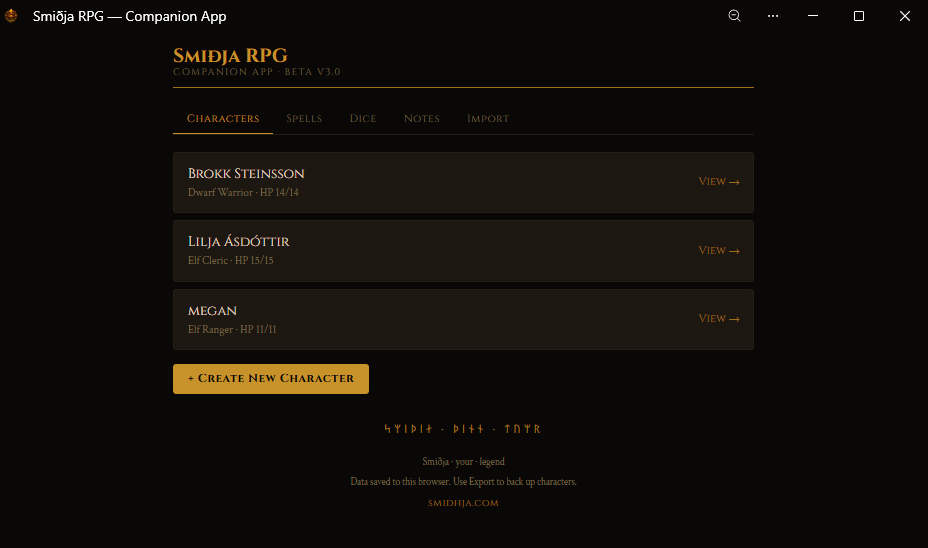
Smiðja RPG Companion App — character roster
Your party at a glance — click to enlarge
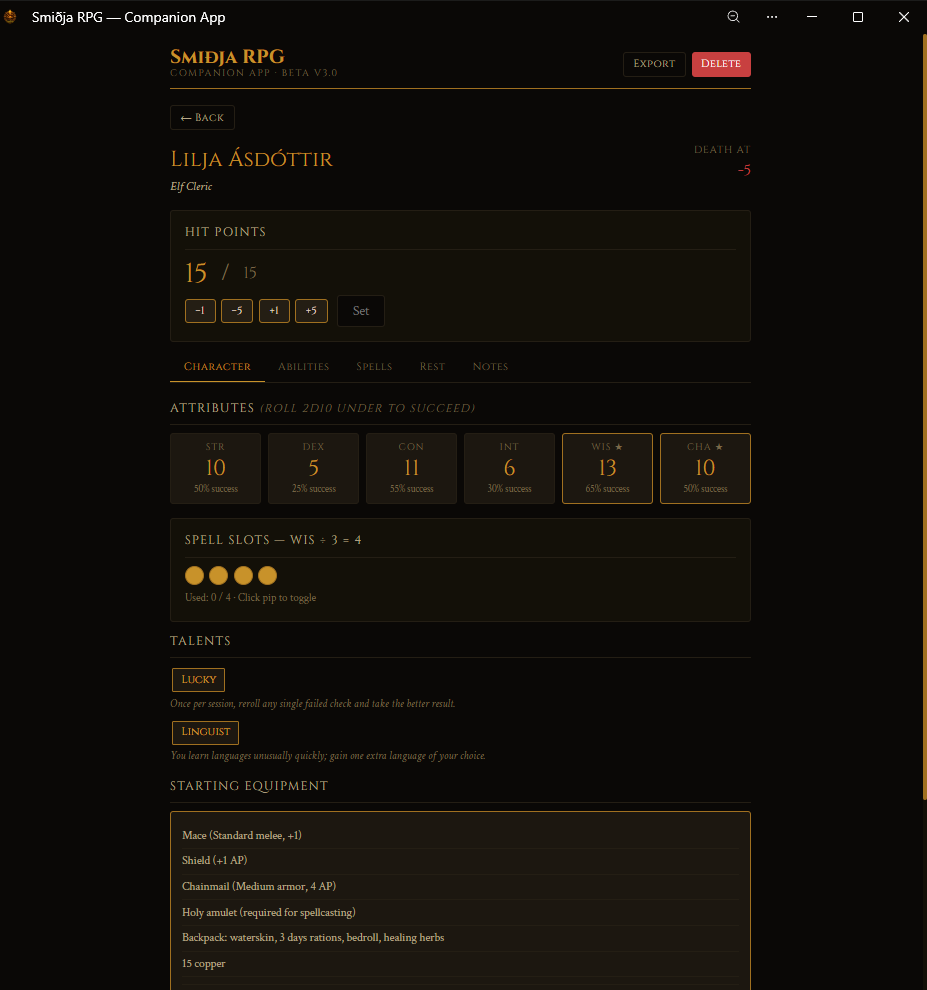
Smiðja RPG Companion App — character sheet
Full character sheet with live HP tracking — click to enlarge
ᛋᛘᛁᚦᛁᛅ · ᚦᛁᚾᚾ · ᛏᚢᛘᚱ

Works Like a Native App.
No Download Required.

The Smiðja Companion App is a Progressive Web App (PWA). It runs in your browser but can be installed to your desktop or home screen and used like a native application — including offline.

Your characters are saved to your device's local storage. Nothing is sent to our servers. Nothing requires an account. Clearing your browser cache will erase saved characters, so use the Export function to back them up regularly.

Chrome or Edge on Desktop
Open the app, then look for the install icon on the right side of the address bar — it looks like a computer with a small download arrow. Click it to install. The app will appear in your taskbar and can be opened without a browser.
Safari on iPhone / iPad
Open the app in Safari, tap the Share button, then tap "Add to Home Screen." The app appears on your home screen like any other app and runs full-screen.
Chrome on Android
Open the app in Chrome, tap the three-dot menu, then tap "Add to Home Screen." Works offline once installed.
Back Up Your Characters
Local storage is tied to your browser. Use the Export button on any character to save a backup code. Keep it in a note or email it to yourself — paste it into Import on any device to restore.
᛫ ᛬ ᛭ ᛬ ᛫

Open the App

No install required to get started. Open it in any modern browser and begin building your character now.

Open the Companion App